First Gear for Apple Watch
The heart range running app that cues your next step.
Start walking. Hear when to run and when to take a walking break. We turn your heart-rate readings into clear coaching on Apple Watch. You choose your pace and follow the next cue.
Try your first week free.

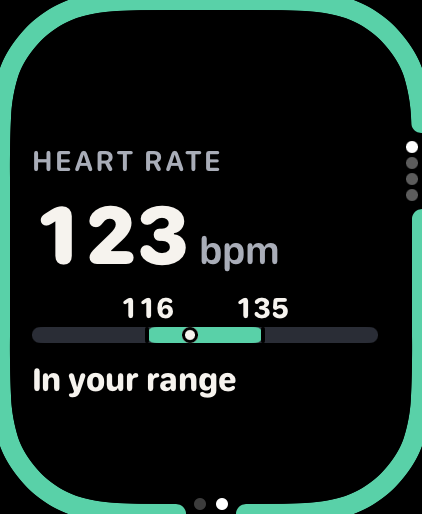
Hear what to do next.
Our standard coach follows your live heart rate to cue runs and walks. Choose Lana or Cal, hear the cue, and feel a tap on your wrist. Both voices are included.
Start with a walk.
Set aside twenty minutes. Every session opens with walking, and you can keep walking whenever you need to. You set the pace and decide when to stop.
Leave your phone at home.
Once setup and access are ready, coaching runs on your Apple Watch without your phone or a live internet connection. Headphones are optional for run/walk cues and required for coaching tips.
Your heart-rate range gives the cues a direction.
A range has a lower and an upper heart-rate boundary. We use your readings and their recent trend to cue a run when there is room, then a walk as your heart rate approaches the top. You choose how to respond.
First Gear estimates your starting range from your age and, with your permission, available resting heart-rate readings from Apple Health. When resting data is unavailable, we use an age-based estimate. This is a coaching range, not a measurement of your personal safe limits.
That is the reason to choose our heart rate running app: you get a next step while you move. The cues respond to heart-rate readings instead of a fixed run/walk timer. You can always walk sooner, keep walking, or stop.
Understand how heart-rate estimates workSix stages. Your choice to move up.
No stage makes your run longer: it stays at twenty minutes, or the length you set on Plan, from 10 to 60 minutes. Your range starts thirty beats wide, and at each stage its bottom rises while the top stays about where it is: 25, 20, 15, 12, then 10 beats wide at stage six. With less room for your heart rate to fall during a walk, we invite you to run a little sooner, so the walks get shorter and more of each session is running.
Three recent qualifying completed sessions can bring an offer to try the next stage. Accept it or keep practicing where you are. These stages organize your sessions; they do not measure fitness or medical readiness.
Miss a week and your stage waits. There is no catch-up workout. Put on your Watch, start walking, and let us coach the next session.
See how our coaching and stage offers workThe bottom steps up. The top barely moves.
One example- Stage 1: 102 to 132 bpm
- Stage 2: 107 to 132 bpm
- Stage 3: 115 to 135 bpm
- Stage 4: 123 to 138 bpm
- Stage 5: 126 to 138 bpm
- Stage 6: 128 to 138 bpm
- In your range
- Below it: your coach invites you to run
- Near the top: your coach calls a walk
- Over it: ease off
Before your first session.
Finish with a stretch.
Your run ends. Your coach stays. Follow one guided stretch, and you are done for the day.
- About 5 or 10 minutes
- New moves each day
- Saves to Apple Health
On iPhone, after a run or any time. Saving to Apple Health needs your permission.
See how the stretch works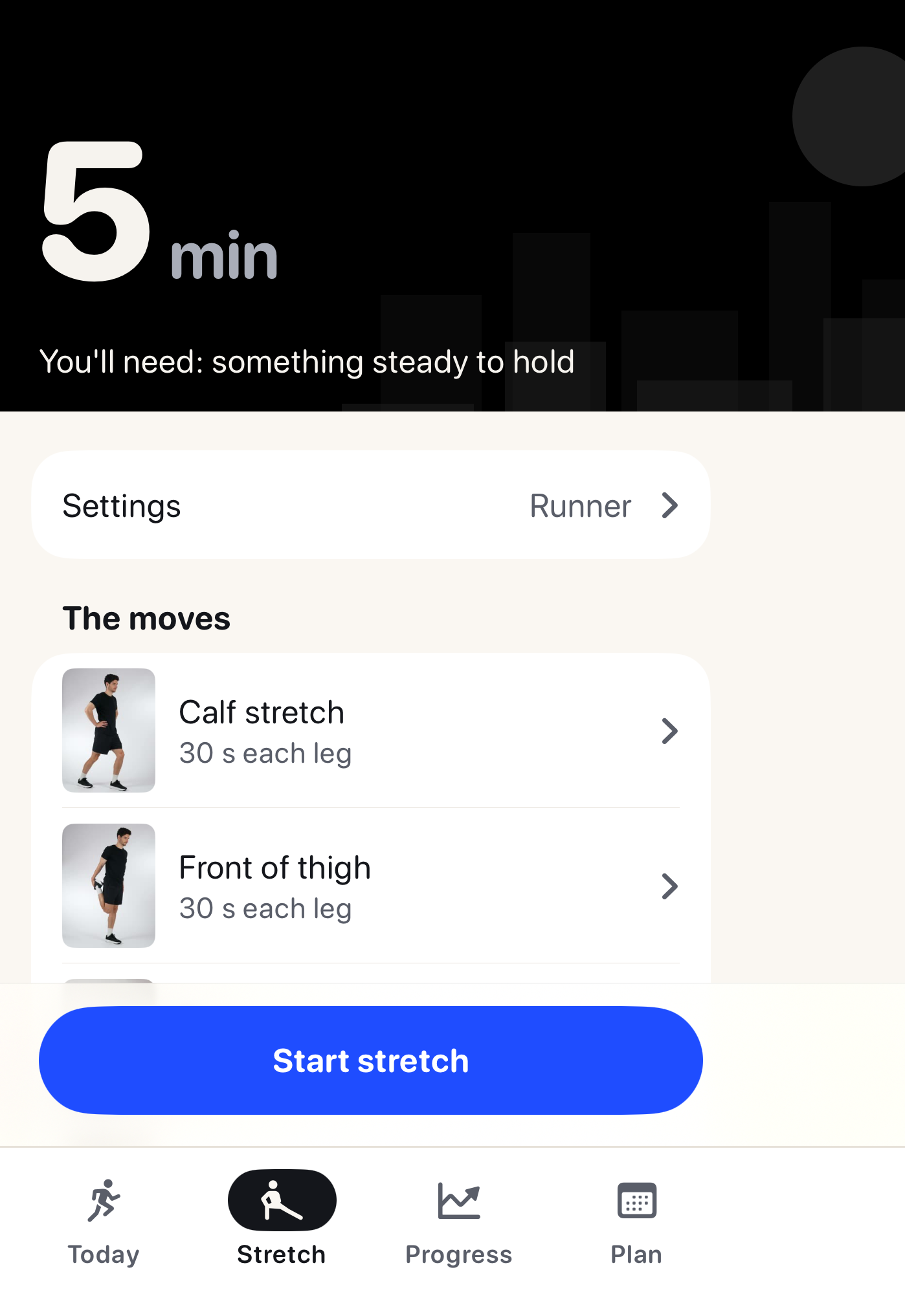

Your next walk can be your first session.
Twenty minutes, starting with a walk. Your coach calls every change.