How it works.
Start walking. Hear when to run and when to walk. Your live heart rate guides the cues, you choose how to respond, and there is no pace to hit.
A starting range, with room to settle in.
With your permission, First Gear reads your age and recent resting heart-rate readings from Apple Health to estimate a starting range. If Health has no date of birth, you choose it in setup. If those readings are unavailable, it uses an age-based estimate. If you already follow MAF or Zone 2, or have a number of your own, choose it on Plan to set the top of the range instead. At stage one the range is thirty beats wide. At each stage after that, its bottom rises while the top stays about where it is, until it is ten beats wide at stage six. It can change as the app refreshes your resting heart-rate data. This is a coaching estimate, not a measurement of your personal safe limits.
Your first session starts with a walk.
Set aside twenty minutes. The session opens with a walk. Your coach uses heart-rate readings to prompt runs and walking breaks. You can keep walking. The starting schedule is three sessions a week, with reminders you can adjust to fit your life.
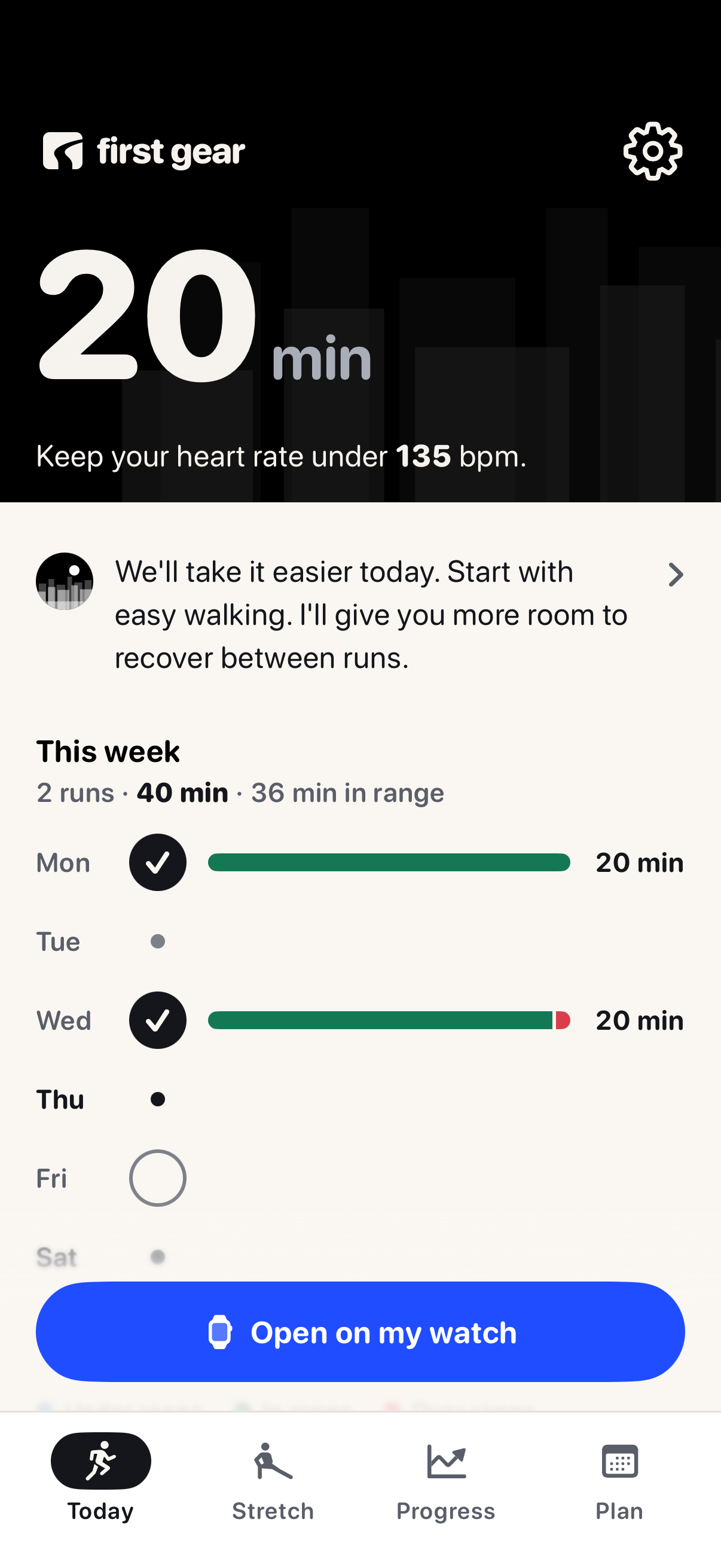

Hear the next step. Keep your own pace.
Your coach follows your heart-rate readings and recent trend to prompt runs and walking breaks. You decide how to respond. Keep walking whenever you need to. Done running for the day? "Walk the rest" stops the run cues, keeps recording, and counts neither for nor against your stage. Want to finish early? End saves the session right away. A short session stays in your history and neither helps nor hurts your stage count.
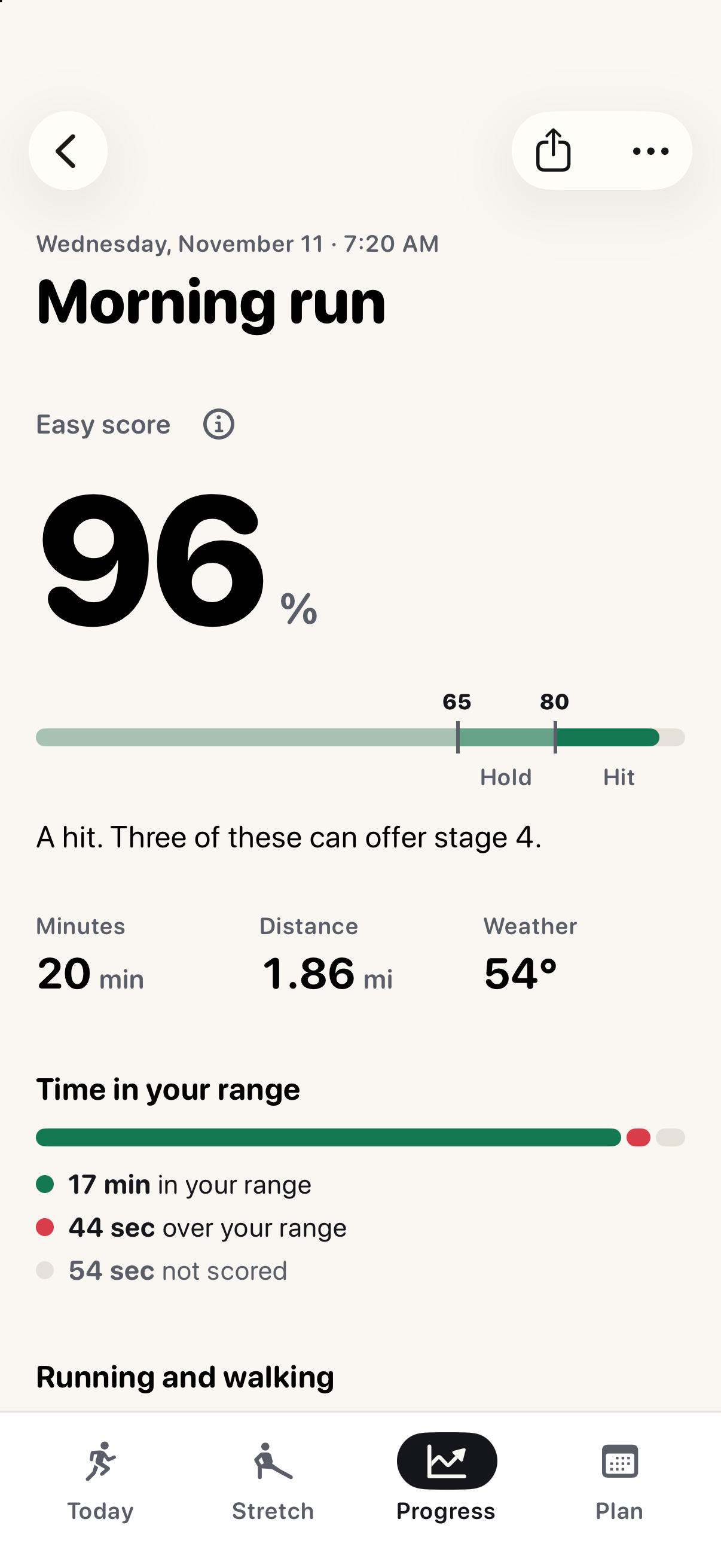
See how the session felt.
Open a session on your phone to review your time out, your Easy score, how your time split in and out of your range, and how much of it was running and walking. The chart shows your recorded heart rate through the session. When a route is available, it uses the same colors: green inside your range, blue below it, amber near the top, and red over it.
Take a break. It meets you where you are.
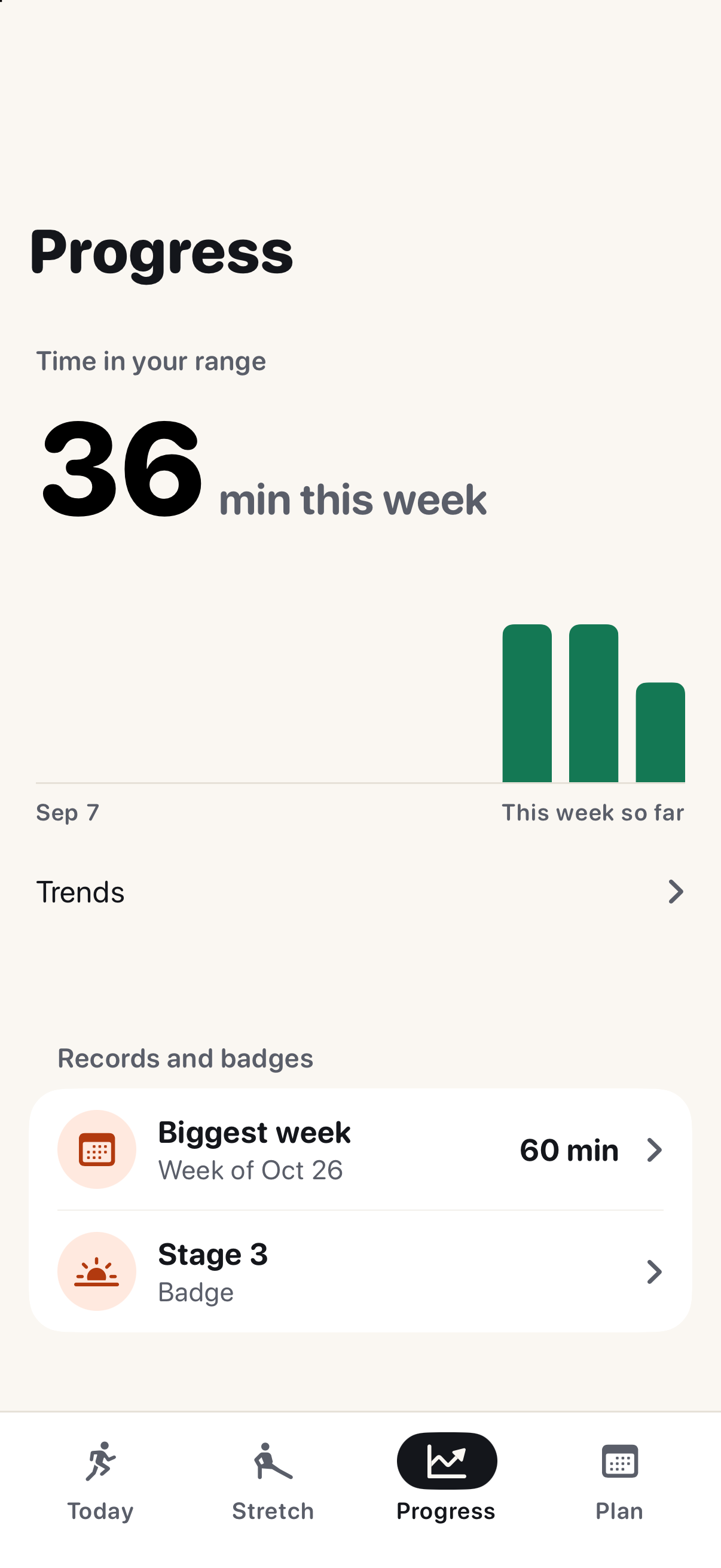
Miss a week and your stage stays where it was. After more than fourteen days away, your stage still waits. The plan clears the results counted toward your next advance, and your coach opens with a gentler session. Your history and earned badges stay with you. Come back with one session; there is no catch-up workout.
Listen to yourself, too.
The app can prompt you to stop when recorded heart rate stays above its stop threshold. It cannot detect every problem or tell you that it is safe to continue. Stop if you feel unwell, even if the screen is green. First Gear provides exercise cues, not medical monitoring. If you have a heart condition or are unsure about starting, speak with a healthcare professional first.
Six stages. Same twenty minutes, a little more running.
From stage to stage, the bottom of your heart-rate range rises while the top stays about where it is. Your heart rate has less room to fall during a walk, so your coach invites you to run a little sooner. The walks get shorter and more of each session is running. No stage makes the session longer: it stays at twenty minutes, or the length you set on Plan, from 10 to 60 minutes. You can keep walking whenever you like.
Find your start.
An opening walk, clear cues, and the widest coaching range, so your walking breaks have the most room. Give yourself time to get familiar with running and walking.
Your next stage. Your choice. Three recent qualifying sessions can bring an offer to try the next stage. Stay here a little longer whenever you like.
Stages organize your practice. They do not measure fitness or readiness for more running.
The bottom steps up. The top barely moves.
One example- Stage 1: 102 to 132 bpm
- Stage 2: 107 to 132 bpm
- Stage 3: 115 to 135 bpm
- Stage 4: 123 to 138 bpm
- Stage 5: 126 to 138 bpm
- Stage 6: 128 to 138 bpm
- In your range
- Below it: your coach invites you to run
- Near the top: your coach calls a walk
- Over it: ease off
Explore First Gear's heart-rate running app